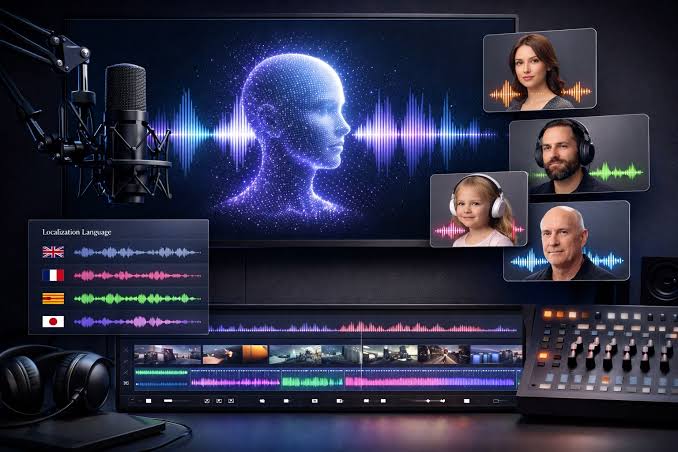
AI voiceover software has become an important production tool for YouTube creators. Modern text-to-speech platforms can generate natural narration, clone a creator’s voice, support multiple languages, and dramatically reduce the time required to produce videos.
Creating a successful YouTube video involves much more than writing a script. Creators also need to record narration, edit mistakes, synchronize audio with visuals, adjust pacing, and sometimes produce versions of the same video in several languages.
AI voiceover software can simplify much of this process. Instead of recording every sentence manually, creators can turn a finished script into a professional-sounding voiceover in minutes. Some platforms also provide voice cloning, pronunciation controls, multilingual voices, and integrated video editing.
But not every AI voice generator is equally suitable for YouTube. Voice realism, commercial licensing, editing controls, language support, consistency, and pricing can make a significant difference to a creator’s workflow.
What Is AI Voiceover Software?
AI voiceover software uses text-to-speech technology to transform written scripts into spoken audio. Modern systems use neural and generative AI models to reproduce characteristics such as intonation, pauses, pronunciation, rhythm, and emotional expression.
For YouTube creators, this means a video script can become a finished narration track without requiring a traditional microphone recording session.
Best AI Voiceover Software for YouTube Creators
| Software | Best For | Key Strength | Voice Cloning | YouTube Use |
|---|---|---|---|---|
| ElevenLabs | Realistic narration | Natural voices and expressive speech | Yes | Excellent for professional channels |
| Murf AI | Professional presentations and narration | Voice editing and production workflow | Yes | Good for educational and business videos |
| Descript | Video creators | Script-based audio and video editing | Yes | Excellent for editing-heavy workflows |
| Speechify Studio | Fast creator workflows | AI voice generation and studio tools | Yes | Useful for narration and social content |
| Fliki | AI video production | Voiceovers combined with video generation | Yes | Useful for faceless channels |
| Amazon Polly | Developers and automation | API-based voice generation | Limited compared with creator platforms | Good for automated workflows |
1. ElevenLabs
ElevenLabs is one of the most prominent AI voice platforms for creators who prioritize natural and expressive narration. Its current text-to-speech offering includes multiple models, voice cloning, a large voice library, and support for dozens of languages.
The platform is particularly useful for YouTube channels that depend heavily on narration, including documentaries, technology channels, educational content, storytelling, finance explainers, history videos, and faceless YouTube channels.
Its current paid plans include commercial usage rights, making the platform relevant for monetized YouTube channels. ElevenLabs currently lists Starter at $6 per month, Creator at $22 per month, and Pro at $99 per month on monthly billing, although pricing and promotional offers can change.
Another advantage is its expressive voice generation. The Eleven v3 model supports expressive audio tags and is positioned for long-form and dramatic voiceover work.
Why YouTubers use ElevenLabs
- Highly natural AI narration
- Voice cloning capabilities
- Large selection of voices
- Multilingual production
- Commercial-use options on paid plans
- Useful for long-form narration
2. Murf AI
Murf AI is designed around professional voice production and is especially useful for creators who want more control over the voiceover editing process.
It can be useful for educational YouTube channels, corporate content, product explainers, tutorials, presentations, and videos where consistent narration is more important than simply generating audio as quickly as possible.
Murf also provides tools for adjusting elements of the generated narration, which can reduce the need to repeatedly regenerate an entire script when a small section needs modification.
Best use cases
- Educational YouTube videos
- Business channels
- Product tutorials
- Explainer videos
- Professional narration
3. Descript
Descript takes a different approach by combining AI voice generation with text-based audio and video editing.
Instead of treating the voiceover as an isolated audio file, creators can work with a transcript and edit the video by changing text. This can be particularly useful when a YouTube creator frequently edits scripts after recording.
Descript’s Overdub feature can clone a creator’s own voice so that a correction can be generated by typing the replacement sentence rather than recording it again. Descript says its current Overdub system is intentionally limited to cloning the user’s own voice.
This makes Descript particularly interesting for creators who want AI assistance without completely changing their existing production workflow.
4. Speechify Studio
Speechify Studio combines AI voice generation with creator-oriented production features. It can be useful for YouTubers who want to turn scripts into narration quickly while experimenting with different voices and styles.
For monetized channels, creators should pay close attention to the specific plan and terms associated with commercial use rather than assuming that every Speechify product or free tier has the same licensing conditions.
This distinction matters because AI companies can have separate terms for consumer text-to-speech, voiceover studios, APIs, and voice cloning products.
5. Fliki
Fliki is particularly interesting for faceless YouTube creators because it combines AI-generated voiceovers with video creation tools.
Instead of generating a voice track separately and then importing it into another editor, a creator can build a larger portion of the video production workflow within one platform.
Recent versions of Fliki have expanded voice options and added more expressive voice styles, making the platform relevant to creators producing short-form and long-form content.
Fliki can be useful for
- Faceless YouTube channels
- List videos
- Educational videos
- Short-form content
- AI-generated video workflows
6. Amazon Polly
Amazon Polly is different from creator-first platforms such as ElevenLabs or Descript. It is primarily a cloud text-to-speech service designed for developers and applications.
For a YouTube creator who simply wants to generate one voiceover, a creator-oriented platform may provide a faster workflow. However, Amazon Polly can become interesting when voice generation needs to be integrated into a larger automated system.
For example, developers could potentially connect text generation, content management systems, video production pipelines, and automated audio generation through APIs.
AI Voiceover Software Comparison
| Feature | ElevenLabs | Murf | Descript | Speechify | Fliki |
|---|---|---|---|---|---|
| Natural narration | Strong | Strong | Strong | Strong | Strong |
| Voice cloning | Yes | Yes | Yes | Yes | Yes |
| Video editing | Yes | Limited | Yes | Yes | Yes |
| Multilingual content | Yes | Yes | Yes | Yes | Yes |
| Faceless YouTube workflow | Excellent | Good | Good | Good | Excellent |
| Automation/API | Yes | Yes | Yes | Yes | Limited compared with developer APIs |
What Makes a Good AI Voice for YouTube?
The most realistic AI voice is not automatically the best voice for every YouTube channel. Creators should consider how the voice fits the subject, audience, video length, and publishing frequency.
1. Natural pacing
A good narration should not sound like every sentence was generated independently. Pauses, sentence rhythm, emphasis, and transitions are important for keeping viewers engaged.
2. Pronunciation control
Technology channels often contain company names, technical terms, acronyms, programming languages, product names, and unusual proper nouns. The ability to control pronunciation can save significant editing time.
3. Consistent voice identity
A YouTube channel becomes easier to recognize when narration sounds consistent from one video to another. Voice cloning can be useful for creators who want to establish a recognizable narration style.
4. Emotional expression
A documentary, gaming channel, financial explainer, and comedy channel may require completely different delivery styles.
Modern AI models increasingly offer control over emotional expression, but creators should test several voices before selecting one for an entire channel.
AI Voiceovers for Faceless YouTube Channels
AI voiceover software is particularly popular among faceless YouTube creators because narration can replace the need for the creator to appear on camera or record every video personally.
A typical workflow looks like this:
Step 1: Research
Choose a topic based on audience interest, search demand, and the channel’s niche.
Step 2: Script
Write a structured script with a strong introduction, clear sections, and a useful conclusion.
Step 3: Voiceover
Generate narration using an AI voice that matches the channel’s personality.
Step 4: Video
Combine narration with footage, graphics, screenshots, animations, or other original visuals.
Can You Monetize YouTube Videos With AI Voiceovers?
Using an AI-generated voice does not by itself answer every monetization question. YouTube creators also need to consider whether the overall video provides original and useful content, whether they have rights to the visual and audio assets, and whether their AI software license allows the intended commercial use.
The safest approach is to treat the AI voice as one component of the production process rather than as a substitute for original content.
What About AI Voice Cloning?
Voice cloning allows software to generate new speech that resembles a specific person’s voice. For creators, this can be useful when they want to maintain the same narration identity without recording every sentence manually.
However, voice cloning should be handled carefully. Creators should only clone voices when they have the appropriate permission and rights.
This is especially important when creating commercial videos for clients, advertisements, sponsored content, or videos involving another person’s identity.
How Much Does AI Voiceover Software Cost?
Pricing varies significantly between platforms and depends on whether a service charges by characters, minutes, credits, projects, or a combination of these models.
For example, ElevenLabs currently lists a free plan and paid plans beginning at $6 per month for Starter, $22 per month for Creator, and $99 per month for Pro on its monthly pricing page. The company also offers higher-volume business plans.
For a small YouTube channel, a lower-cost plan may be enough. Channels publishing several long videos every week may need to calculate monthly character or minute consumption before choosing a subscription.
How to Choose the Right AI Voiceover Software
- Check commercial rights: Make sure your plan allows monetized YouTube use.
- Test the voices: Generate several paragraphs before committing.
- Check pronunciation: Test names, brands, numbers, and technical terminology.
- Consider languages: Choose a platform that supports the languages your channel needs.
- Measure monthly usage: Estimate how many characters or minutes you generate.
- Check voice cloning rules: Especially when using a voice belonging to another person.
- Look at export quality: Higher-quality audio can matter during professional editing.
- Consider the workflow: A video editor may be more useful than a standalone TTS tool.
Best AI Voiceover Software by YouTube Channel Type
| Channel Type | Useful Software Type | Important Features |
|---|---|---|
| Technology | Advanced TTS | Pronunciation, natural pacing, multilingual voices |
| Finance | Professional TTS | Clear pronunciation and authoritative delivery |
| Documentary | Expressive TTS | Emotion, pacing, long-form narration |
| Gaming | Expressive AI voices | Energy, character voices, fast generation |
| Faceless channels | AI video platform | Voiceover, visuals and editing in one workflow |
| Personal brand | Voice cloning | Consistent creator voice |
| Automated channels | API-based TTS | Automation and scalable generation |
How to Make AI Voiceovers Sound More Human
Even the best AI voice can sound artificial if the script is written poorly. The writing style has a major influence on the final result.
Write for speaking, not reading
Shorter sentences generally work better for narration. Avoid excessively long paragraphs and complicated sentence structures.
Use natural punctuation
Commas, periods, paragraph breaks, and other punctuation can influence pacing. Experiment with different structures to find a natural rhythm.
Don’t overuse dramatic voices
An exaggerated voice may sound impressive during a short demonstration but become tiring during a 10-minute video. Match the voice to the content.
Edit the audio
After generating the narration, listen to it carefully. Fix incorrect pronunciations, awkward pauses, unnatural emphasis, and sections where the voice does not match the visuals.
AI Voiceover vs Human Voiceover
| Factor | AI Voiceover | Human Voiceover |
|---|---|---|
| Production speed | Very fast | Slower |
| Cost per video | Usually lower | Usually higher |
| Consistency | Very high | Depends on recording |
| Emotional nuance | Improving rapidly | Highly flexible |
| Voice cloning | Available on some platforms | Not applicable |
| Scalability | Excellent | Limited by recording time |
For many YouTubers, the decision does not have to be completely one-sided. AI can be used for drafts, corrections, secondary channels, translations, or high-volume content while human recording remains the preferred option for flagship videos.
Common Mistakes YouTube Creators Make With AI Voiceovers
- Using the free tier without checking commercial restrictions.
- Choosing a voice simply because it sounds impressive in a short sample.
- Ignoring pronunciation problems.
- Generating narration without listening to the entire result.
- Using copyrighted scripts or content without permission.
- Cloning another person’s voice without appropriate authorization.
- Publishing large amounts of low-value content simply because AI makes production faster.
- Using the same generic AI voice as hundreds of other channels.
Frequently Asked Questions
The right choice depends on the creator’s workflow. ElevenLabs is particularly focused on realistic AI narration, Descript combines voice generation with editing, Murf focuses on professional voice production, and Fliki combines AI voiceovers with video creation.
This depends on the software’s licensing terms and your overall content. Always verify that the specific plan you use permits commercial use. ElevenLabs, for example, states that its paid plans include commercial usage rights for generated audio.
Yes. Current AI voice systems can produce highly natural speech, including variations in intonation, pacing and expression. The quality depends on the model, voice, script and generation settings.
Yes. Several creator platforms offer voice cloning. Descript’s current Overdub feature, for example, is designed to clone the user’s own voice and can be used to generate corrections by typing replacement text.
Yes. AI narration can be particularly useful for faceless channels because the creator does not need to record every video manually. However, strong research, scripting, editing and original visual content remain important.
Costs range from free tiers to professional subscriptions. Pricing models can be based on characters, credits, minutes or projects. For example, ElevenLabs currently offers a free plan and paid plans starting at $6 per month on its monthly pricing page.
Final Thoughts
AI voiceover software has become a practical part of modern YouTube production. The technology can help creators produce narration faster, maintain a consistent voice, experiment with different languages, and scale video production without recording every sentence manually.
For creators primarily focused on realistic narration, ElevenLabs is worth testing. Descript can make more sense when editing is central to the workflow, while Murf is useful for professional voice production. Fliki is particularly relevant to creators who want to combine AI narration with AI-assisted video creation.
The most important factor is not simply how realistic an AI voice sounds. You should also consider commercial licensing, monthly usage, pronunciation control, editing capabilities, language support, voice consistency and the type of content you publish.
A well-written script combined with a suitable AI voice, thoughtful editing and original visuals can create a much more professional YouTube production workflow.